
An IPTV app is the piece that turns a subscription into something you can actually watch. There are dozens to choose from, and picking the wrong one — or misunderstanding what it actually does — is one of the most common sources of confusion for people new to streaming this way. This guide clears it up: what these players are, how the well-known ones compare, and exactly how to get one set up.
What is an IPTV app?
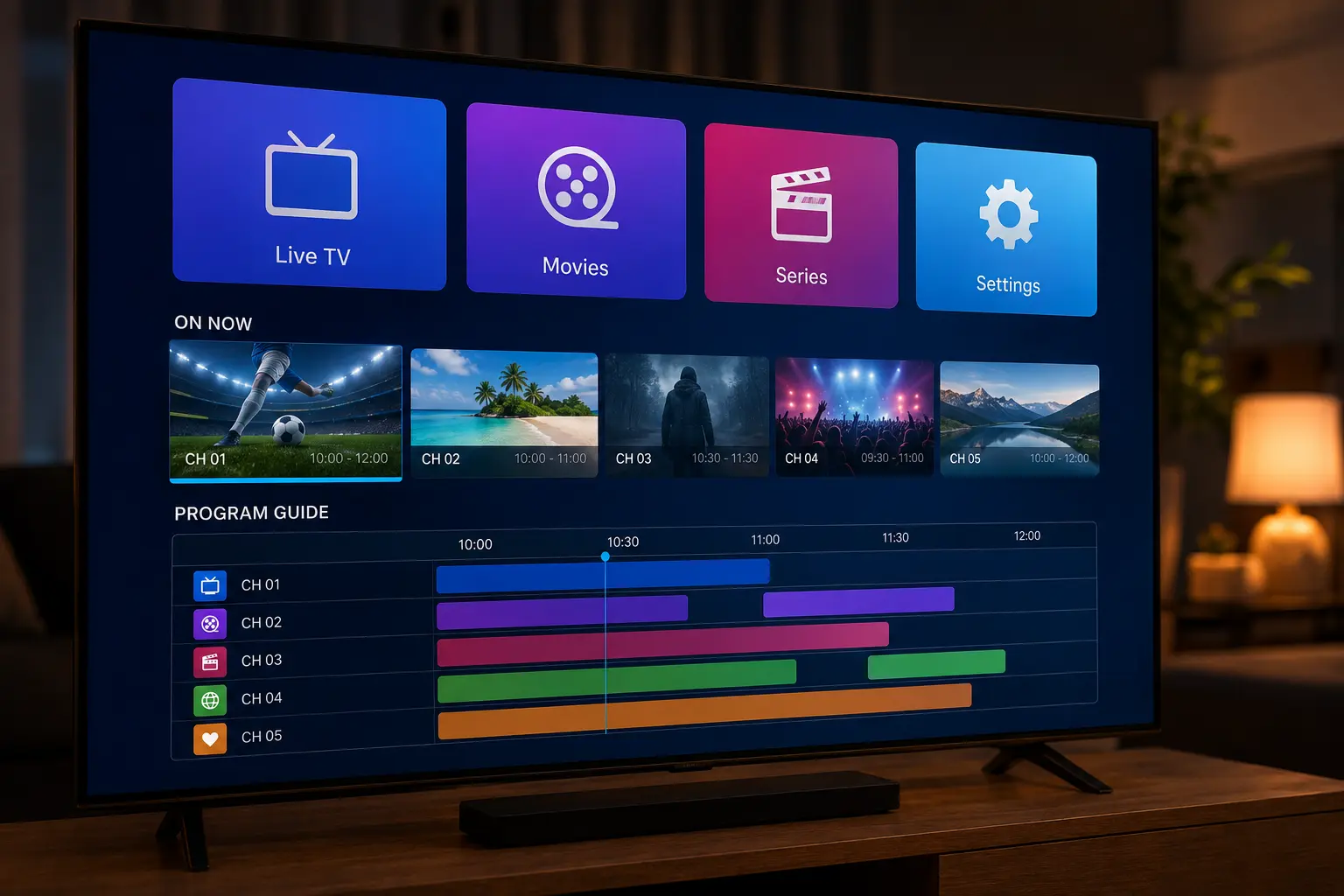
An IPTV app is a media player — nothing more, nothing less. It takes a login (Xtream Codes or an M3U playlist URL) supplied by your subscription and turns it into a proper interface: a channel list, a program guide, categories, and search. The player itself carries no channels or movies of its own.
How an IPTV app works with your subscription
The two pieces are separate on purpose, similar to how a web browser is separate from the websites it displays:
You subscribe
A licensed provider emails you Xtream Codes login details or an M3U link.
You install a player
Any of the well-known free apps below will work with that login.
You connect the two
Enter the login inside the player once, and it loads your full channel list automatically.
You watch
From here it behaves like any streaming interface — browse, search, and press play.
Best IPTV apps compared
| Player | Best for | Platforms |
|---|---|---|
| IPTV Smarters Pro | All-round default, easiest to recommend | Firestick, Android, iOS, Smart TV, Windows |
| TiviMate | Polished interface, power users | Android TV, Firestick |
| IBO Player | Simplicity and reliability | Most major devices |
| GSE Smart IPTV | Deep customisation, multiple playlists | iOS, Android, Smart TV |
None of these is objectively "the best" for everyone — the right pick depends mostly on your device and how much control over settings you personally want. All four are actively maintained, work with standard Xtream Codes and M3U logins, and are free to try, so switching between them later costs nothing but a few minutes of setup if your first choice doesn't feel right.
What to look for in a good player
- A working EPG — without a program guide, browsing feels like a raw file list rather than TV.
- Multi-screen / multi-profile support — useful for households with more than one viewer.
- Catch-up support — the ability to rewind programmes that already aired, where the provider offers it.
- Regular updates — an abandoned app is more likely to break after a device update.
- Parental controls — worth checking if kids will be using the same device.
- Low resource usage — older Firestick and Android TV hardware can struggle with bloated interfaces, so a lightweight player often performs noticeably better than a feature-heavy one.
It's easy to get distracted by extra features when comparing options, but for most households the basics — a reliable EPG, stable playback, and an interface that doesn't require a manual to navigate — matter far more day to day than anything else on this list.
How to install an IPTV app
The exact steps vary slightly by device, but the shape is always the same:
Find it in your device's app store
Search the Amazon Appstore, Google Play, or Apple App Store depending on your device.
Install and open it
Most players are free and take under a minute to install.
Add your subscription login
Enter your Xtream Codes or M3U details exactly as provided.
Wait for the channel list to load
This can take a minute the first time as it downloads and sorts everything.
For device-specific walkthroughs with screenshots, see our Firestick setup guide or our full IPTV streaming guide for the bigger picture.
Is it safe to use an IPTV app?
Reputable, widely used players from official app stores carry no real risk on their own — they're just interfaces. The safety question that actually matters is about the content source, not the player: an unofficial APK from an unknown site, or a "free" playlist rebroadcasting content without rights, is where the real risk sits. We cover this fully in Is IPTV Legal in Australia?.
Common problems, fixed
| Problem | Likely cause | Fix |
|---|---|---|
| No channels appear after setup | Incorrect login details | Re-enter your Xtream Codes/M3U exactly as provided |
| App crashes on launch | Outdated version | Update via your device's app store |
| EPG (program guide) is empty | Guide data still loading | Wait a few minutes or refresh the channel list |
| "Max connections reached" error | Device limit on your plan reached | Close the app on another device, or upgrade your plan |
As with most streaming problems, it's worth checking the simple things first: is the subscription still active, is the internet connection stable, and is the app itself up to date. In practice, these three checks resolve the large majority of support requests before anything more technical needs investigating.
Choosing the right app for your device
If you only want one recommendation: start with IPTV Smarters Pro — it covers the widest range of devices and is the easiest to get comfortable with quickly. Android TV and Firestick users who want a more polished, TV-remote-friendly layout tend to prefer TiviMate once they're past the basics, while iOS users who want deep control over multiple playlists often settle on GSE Smart IPTV.
Key takeaways
- An IPTV app is only a player — it needs an active subscription to show any content.
- IPTV Smarters Pro, TiviMate, IBO Player and GSE Smart IPTV are the most reliable options.
- Look for a working EPG, regular updates, and multi-device support.
- Safety concerns almost always trace back to the content source, not the player.
- Most setup problems are login issues, fixable by re-checking your Xtream Codes/M3U details.
Related IPTV guides
Frequently asked questions
What is an IPTV app?
It's a media player that turns an Xtream Codes login or M3U playlist into a usable interface with live channels, a program guide, and on-demand movies and series. It does not include any content itself.
Do I need to pay for an IPTV app?
Most players such as IPTV Smarters Pro, IBO Player, TiviMate and GSE Smart IPTV are free to download. The cost is in the subscription that supplies the channels, not the app itself.
Which is the best IPTV app?
There's no single best option for everyone — IPTV Smarters Pro is a strong all-round default, TiviMate is popular for its polished Android TV interface, IBO Player is simple and reliable, and GSE Smart IPTV offers deep customisation for advanced users.
Does an IPTV app work without a subscription?
No. It's only a player — it needs an active subscription that provides Xtream Codes or an M3U link to actually display any channels or content.
Can I use one IPTV app on multiple devices?
Yes, most players can be installed on several devices, but how many can stream at the same time depends on your subscription's device limit, not the app itself.
Is it safe to use an IPTV app?
Reputable, widely used players from official app stores are safe. Risk comes mainly from unofficial APKs from unknown sources or apps bundled with an unlicensed "free" content source rather than the player itself.
Why won't my IPTV app load any channels?
This is almost always a login issue — double-check your Xtream Codes or M3U URL with your provider, confirm your subscription is active, and make sure your internet connection is stable.
Get your subscription, then pick your app
65,000+ channels, 4K streams and anti-freeze servers — from $14.99/month with a 7-day money-back guarantee. Your login arrives instantly by email.
Get Started with IPTV Australia 4K →