
📦 Buyer's Guide 2026

IPTV Box Australia:
Do You Even Need One?

Before you spend money on hardware, here's the honest answer on IPTV box Australia options — when you actually need one, when your existing TV is enough, and what to buy if you do need extra hardware.

🗓 Updated August 13, 2026 ⏱ 8 min read ✍ IPTV Australia 4K Team

Searching for an IPTV box Australia retailers sell can lead you to spend money you don't need to. Plenty of households already own a device capable of running IPTV without buying anything extra. This guide covers what an IPTV box actually is, whether you need one, the specs that actually matter if you do buy one, and how to fix the most common problems once it's set up.
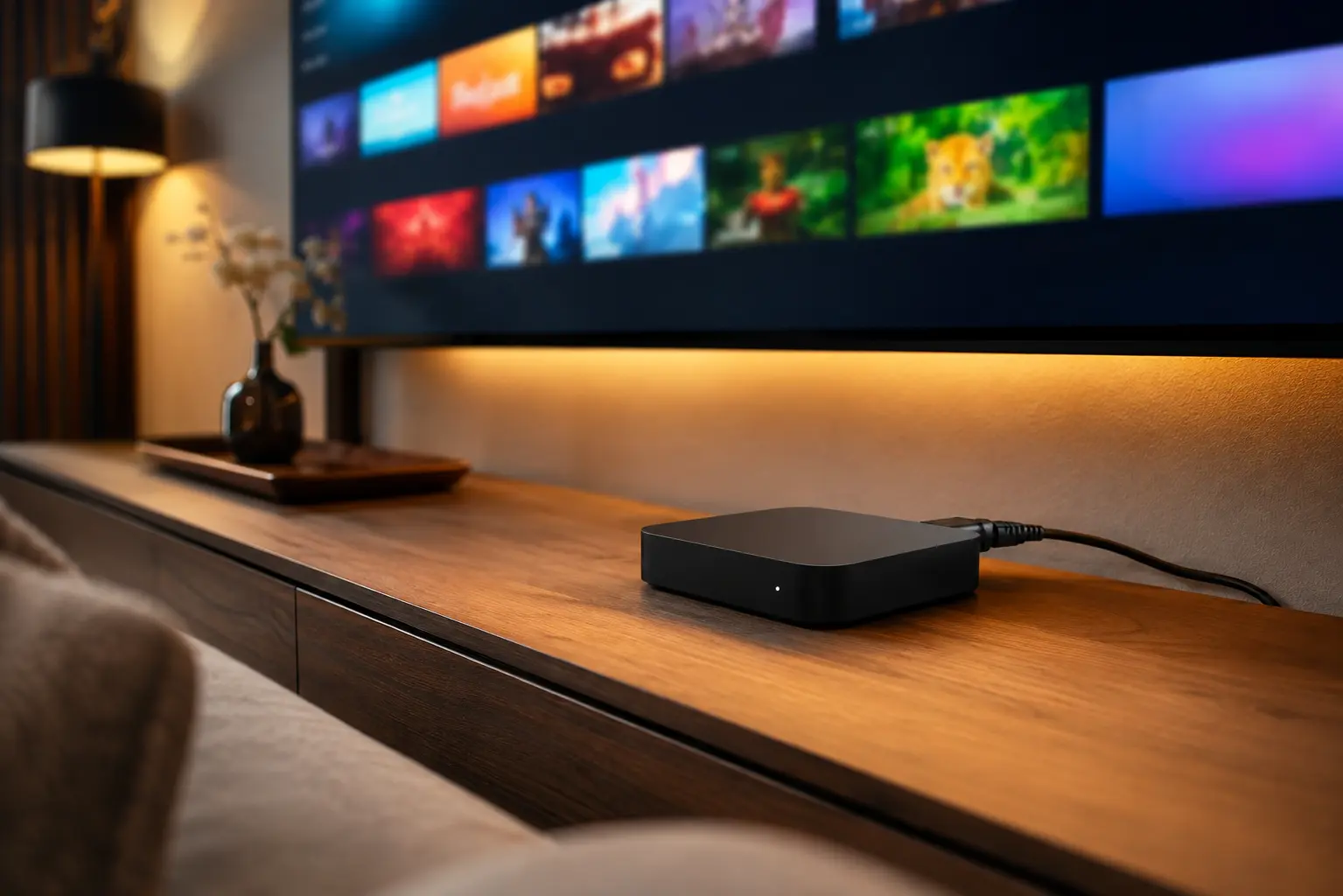
IPTV box Australia connected to a Smart TV in a living room
Many households don't need a separate box at all — check your existing devices first.

What is an IPTV box?

An IPTV box is a small piece of hardware that connects to your TV and runs an IPTV player app, giving you live channels and on-demand content through your subscription. It's essentially a dedicated streaming computer — similar in concept to a Firestick or Apple TV, just marketed specifically toward IPTV users.

The term gets used loosely in marketing, which is part of why people end up confused. Some sellers use "IPTV box" to mean a purpose-built MAG device, others use it for any Android TV box, and plenty of retailers apply the label to whatever streaming hardware they happen to be selling that month. None of this is a formal standard — it's just a category name, not a specific product.

Important: the box itself has no channels built in. Like any IPTV app, it needs an active subscription — such as IPTV Australia 4K — to actually show anything.

Do you actually need one?

For most Australian households, no. If you already own any of the following, you can skip buying hardware entirely and just install a free IPTV app:

  • A Smart TV from the last few years (LG, Samsung, Sony, Hisense, TCL)
  • An Amazon Firestick
  • An Android TV or Google TV device
  • An Apple TV

A dedicated box is really only worth buying if your TV is older, has no app store, or can't run modern streaming apps smoothly.

A simple way to check: try installing an IPTV app directly on your current TV first. If it's available in your TV's app store and runs without lagging through menus, you almost certainly don't need any extra IPTV box Australia retailers are trying to sell you. Only move on to buying hardware if that test fails.

Types of IPTV boxes

📱

Android TV box

The most common option — runs standard Android apps, flexible and widely supported.

📡

MAG box

Purpose-built for IPTV, very stable, but less flexible and often pricier.

🔥

Firestick (quasi-box)

Not marketed as an "IPTV box" but functions the same way for most people's needs.

Android TV boxes in detail

These run a full version of Android (or Google TV), which means they can install almost any app from the Play Store, not just IPTV players. That flexibility is the main appeal — you get IPTV apps, streaming services, games and browsers all on one device. The trade-off is that build quality and long-term software support vary a lot between manufacturers, so it's worth sticking to recognisable brands rather than the cheapest unbranded listing you can find.

MAG boxes in detail

MAG boxes run a locked-down, purpose-built operating system designed specifically for IPTV middleware. Because they're not general-purpose Android devices, they tend to be more stable and less prone to random slowdowns from unrelated apps — but you also can't install anything outside what the box supports, and setup is usually done via MAC address and portal URL rather than a simple app login. This makes them a better fit for technically confident users than for someone wanting the simplest possible setup.

Firestick and similar streaming sticks

Amazon's Firestick, along with similar Google Chromecast with Google TV devices, weren't designed with IPTV specifically in mind, but they run the same Android-based app ecosystem as most dedicated boxes. For the vast majority of households, a Firestick 4K does everything a purpose-bought "IPTV box" would do, at a lower price and with the advantage of being a mainstream, well-supported product with regular software updates.

Best IPTV box Australia options for 2026

If you've decided a dedicated box makes sense for your setup, here's how the main options stack up on price and flexibility:

OptionBest forApprox. price
Amazon Firestick 4KEasiest setup, widest app support$60-80
Recent Android TV boxMost flexible, good 4K/HEVC support$80-150
MAG boxDedicated stability, less flexible$100-180
Your existing Smart TVZero extra cost if it's recent$0

Specs worth checking before you buy

If you do decide to buy hardware, a handful of specs matter far more than the marketing copy on the box:

  • RAM (2GB minimum, 4GB+ preferred) — low-RAM boxes struggle once you have an EPG, a large channel list and background apps running at once.
  • HEVC/H.265 hardware decoding — without this, 4K streams either won't play smoothly or will fall back to a lower resolution automatically.
  • Wi-Fi standard (Wi-Fi 5 or 6 preferred) — older Wi-Fi 4 chipsets are a common, overlooked cause of buffering even on a fast internet plan.
  • Ethernet port — not essential, but valuable if your router isn't close to the TV, since Ethernet is far more reliable than Wi-Fi for sustained streaming.
  • Storage (8GB+) — enough room for the IPTV app itself plus any additional apps, without constant "storage full" warnings.
  • Standby power draw — a minor factor, but worth a glance if the box stays plugged in and running around the clock; well-reviewed models typically use only a few watts on standby.

None of this needs to turn into a research project. If a box meets the first three points on this list — enough RAM, HEVC decoding and a reasonable Wi-Fi standard — it will comfortably handle everything a typical IPTV Australia subscription throws at it, including 4K live sport during peak hours.

Common IPTV box Australia problems, fixed

Most of the complaints we hear about IPTV box Australia hardware trace back to one of a handful of simple, fixable causes rather than a faulty unit:

ProblemLikely causeFix
Box runs hot and slows downPoor ventilation, cheap hardwareKeep it away from enclosed cabinets; avoid stacking other devices on top
Apps crash or freeze oftenInsufficient RAM for the apps installedUninstall unused apps, or upgrade to a box with more RAM
4K channels play in lower qualityNo HEVC hardware decodingCheck the box's specs, or manually select a lower quality stream
Remote becomes unresponsiveBluetooth pairing drift or low batteriesRe-pair the remote or replace batteries
Box won't update or gets stuckOutdated firmwareCheck the manufacturer's settings menu for a firmware update option

How to set up an IPTV box

  1. Connect it to your TV

    Plug into an HDMI port and connect to power.

  2. Connect to your network

    Join your home Wi-Fi, or use Ethernet for the most stable connection.

  3. Install a player app

    Download a free IPTV app such as IPTV Smarters Pro or TiviMate.

  4. Get a subscription

    Subscribe to a licensed provider to receive your Xtream Codes or M3U login.

  5. Add your login and watch

    Enter your details in the app and your channel list loads automatically.

How long does an IPTV box actually last?

A decent Android TV box or Firestick typically stays usable for three to five years before it starts struggling with newer apps or higher-bitrate streams, similar to a budget smartphone. MAG boxes, being simpler and more purpose-built, often last longer in raw hardware terms, but can eventually fall behind if the manufacturer stops supporting new middleware updates. In practice, the subscription and internet connection tend to matter more for day-to-day experience than squeezing extra years out of ageing hardware.

Cheaper alternatives to buying a box

Before spending anything, check whether your existing TV or phone can already do the job. A surprising number of people buy hardware they didn't need simply because a retailer's product listing implied it was required. See our full IPTV app guide for the best players by device, and our IPTV streaming guide for what you need overall to get started without new hardware.

If you do end up needing hardware later — say your current TV is genuinely too old to run modern apps — a $60-80 Firestick is a safer first purchase than a more expensive dedicated box, since it's cheap enough to not sting if your needs change.

Choosing a subscription for your box

Whatever hardware you use, the subscription matters more than the box for actual viewing quality. Look for realistic pricing, a money-back guarantee, and server infrastructure built to handle live sport without freezing. See our full IPTV Providers in Australia buyer's guide for the complete checklist.

It's a common mistake to spend more time comparing IPTV box Australia hardware options than comparing the actual providers that will supply the content — when in practice the subscription is what determines whether your evenings are smooth or full of buffering. A $150 box paired with a poorly run provider will buffer just as badly as a $60 one; a well-run provider, on the other hand, will stream cleanly on almost any reasonably modern hardware.

If you're weighing up whether to spend more on the box or more on the subscription, put the money toward the subscription first. Hardware differences mostly affect app smoothness and menu responsiveness, while the subscription determines whether the actual video stream holds up — particularly during peak evening hours and live sport, when server capacity gets tested the hardest.

Key takeaways from this IPTV box Australia guide

  • Most households don't need a separate IPTV box — a Smart TV or Firestick is usually enough.
  • Android TV boxes offer the most flexibility if you do need hardware.
  • MAG boxes are stable but less versatile and pricier.
  • The subscription matters more for quality than the box itself.
  • Expect to pay $60-150 once, separate from your ongoing subscription.

Frequently asked questions

Do I need a special IPTV box in Australia?

No. Most households already own a device that works — a Smart TV, Firestick or Android TV box is enough for most needs. A dedicated IPTV box is only worth buying if you have an older TV with no smart features.

What is the best IPTV box for Australia?

For most households, an Android TV box (a recent model with HEVC/4K decoding) or a Firestick 4K offers the best balance of price, app support and performance.

Is a MAG box better than an Android box?

MAG boxes are purpose-built for IPTV and very stable, but they're less flexible and often more expensive. For most Australian households, a mainstream Android TV box or Firestick is simpler and more versatile.

Can I use my existing Smart TV instead of buying a box?

Yes, if your Smart TV supports installing apps like IPTV Smarters Pro directly, you don't need any extra hardware at all.

How much does an IPTV box cost in Australia?

A capable Android TV box or Firestick 4K typically costs between $60 and $150, a one-off cost separate from your ongoing IPTV subscription.

Does the box affect streaming quality?

The box affects how smoothly the app runs and whether it can decode 4K, but overall streaming quality depends more on your internet connection and your provider's server capacity than on the box itself.

Get the subscription that matters most

65,000+ channels, 4K streams and anti-freeze servers — from $14.99/month with a 7-day money-back guarantee. Works on whatever device or box you choose.

Get Started with IPTV Australia 4K →

📦 Buyer's Guide 2026

IPTV Box Australia:
Do You Even Need One?

Before you spend money on hardware, here's the honest answer on IPTV box Australia options — when you actually need one, when your existing TV is enough, and what to buy if you do need extra hardware.

🗓 Updated August 13, 2026 ⏱ 8 min read ✍ IPTV Australia 4K Team

Searching for an IPTV box Australia retailers sell can lead you to spend money you don't need to. Plenty of households already own a device capable of running IPTV without buying anything extra. This guide covers what an IPTV box actually is, whether you need one, the specs that actually matter if you do buy one, and how to fix the most common problems once it's set up.

IPTV box Australia connected to a Smart TV in a living room
Many households don't need a separate box at all — check your existing devices first.

What is an IPTV box?

An IPTV box is a small piece of hardware that connects to your TV and runs an IPTV player app, giving you live channels and on-demand content through your subscription. It's essentially a dedicated streaming computer — similar in concept to a Firestick or Apple TV, just marketed specifically toward IPTV users.

The term gets used loosely in marketing, which is part of why people end up confused. Some sellers use "IPTV box" to mean a purpose-built MAG device, others use it for any Android TV box, and plenty of retailers apply the label to whatever streaming hardware they happen to be selling that month. None of this is a formal standard — it's just a category name, not a specific product.

Important: the box itself has no channels built in. Like any IPTV app, it needs an active subscription — such as IPTV Australia 4K — to actually show anything.

Do you actually need one?

For most Australian households, no. If you already own any of the following, you can skip buying hardware entirely and just install a free IPTV app:

  • A Smart TV from the last few years (LG, Samsung, Sony, Hisense, TCL)
  • An Amazon Firestick
  • An Android TV or Google TV device
  • An Apple TV

A dedicated box is really only worth buying if your TV is older, has no app store, or can't run modern streaming apps smoothly.

A simple way to check: try installing an IPTV app directly on your current TV first. If it's available in your TV's app store and runs without lagging through menus, you almost certainly don't need any extra IPTV box Australia retailers are trying to sell you. Only move on to buying hardware if that test fails.

Types of IPTV boxes

📱

Android TV box

The most common option — runs standard Android apps, flexible and widely supported.

📡

MAG box

Purpose-built for IPTV, very stable, but less flexible and often pricier.

🔥

Firestick (quasi-box)

Not marketed as an "IPTV box" but functions the same way for most people's needs.

Android TV boxes in detail

These run a full version of Android (or Google TV), which means they can install almost any app from the Play Store, not just IPTV players. That flexibility is the main appeal — you get IPTV apps, streaming services, games and browsers all on one device. The trade-off is that build quality and long-term software support vary a lot between manufacturers, so it's worth sticking to recognisable brands rather than the cheapest unbranded listing you can find.

MAG boxes in detail

MAG boxes run a locked-down, purpose-built operating system designed specifically for IPTV middleware. Because they're not general-purpose Android devices, they tend to be more stable and less prone to random slowdowns from unrelated apps — but you also can't install anything outside what the box supports, and setup is usually done via MAC address and portal URL rather than a simple app login. This makes them a better fit for technically confident users than for someone wanting the simplest possible setup.

Firestick and similar streaming sticks

Amazon's Firestick, along with similar Google Chromecast with Google TV devices, weren't designed with IPTV specifically in mind, but they run the same Android-based app ecosystem as most dedicated boxes. For the vast majority of households, a Firestick 4K does everything a purpose-bought "IPTV box" would do, at a lower price and with the advantage of being a mainstream, well-supported product with regular software updates.

Best IPTV box Australia options for 2026

If you've decided a dedicated box makes sense for your setup, here's how the main options stack up on price and flexibility:

OptionBest forApprox. price
Amazon Firestick 4KEasiest setup, widest app support$60-80
Recent Android TV boxMost flexible, good 4K/HEVC support$80-150
MAG boxDedicated stability, less flexible$100-180
Your existing Smart TVZero extra cost if it's recent$0

Specs worth checking before you buy

If you do decide to buy hardware, a handful of specs matter far more than the marketing copy on the box:

  • RAM (2GB minimum, 4GB+ preferred) — low-RAM boxes struggle once you have an EPG, a large channel list and background apps running at once.
  • HEVC/H.265 hardware decoding — without this, 4K streams either won't play smoothly or will fall back to a lower resolution automatically.
  • Wi-Fi standard (Wi-Fi 5 or 6 preferred) — older Wi-Fi 4 chipsets are a common, overlooked cause of buffering even on a fast internet plan.
  • Ethernet port — not essential, but valuable if your router isn't close to the TV, since Ethernet is far more reliable than Wi-Fi for sustained streaming.
  • Storage (8GB+) — enough room for the IPTV app itself plus any additional apps, without constant "storage full" warnings.
  • Standby power draw — a minor factor, but worth a glance if the box stays plugged in and running around the clock; well-reviewed models typically use only a few watts on standby.

None of this needs to turn into a research project. If a box meets the first three points on this list — enough RAM, HEVC decoding and a reasonable Wi-Fi standard — it will comfortably handle everything a typical IPTV Australia subscription throws at it, including 4K live sport during peak hours.

Common IPTV box Australia problems, fixed

Most of the complaints we hear about IPTV box Australia hardware trace back to one of a handful of simple, fixable causes rather than a faulty unit:

ProblemLikely causeFix
Box runs hot and slows downPoor ventilation, cheap hardwareKeep it away from enclosed cabinets; avoid stacking other devices on top
Apps crash or freeze oftenInsufficient RAM for the apps installedUninstall unused apps, or upgrade to a box with more RAM
4K channels play in lower qualityNo HEVC hardware decodingCheck the box's specs, or manually select a lower quality stream
Remote becomes unresponsiveBluetooth pairing drift or low batteriesRe-pair the remote or replace batteries
Box won't update or gets stuckOutdated firmwareCheck the manufacturer's settings menu for a firmware update option

How to set up an IPTV box

  1. Connect it to your TV

    Plug into an HDMI port and connect to power.

  2. Connect to your network

    Join your home Wi-Fi, or use Ethernet for the most stable connection.

  3. Install a player app

    Download a free IPTV app such as IPTV Smarters Pro or TiviMate.

  4. Get a subscription

    Subscribe to a licensed provider to receive your Xtream Codes or M3U login.

  5. Add your login and watch

    Enter your details in the app and your channel list loads automatically.

How long does an IPTV box actually last?

A decent Android TV box or Firestick typically stays usable for three to five years before it starts struggling with newer apps or higher-bitrate streams, similar to a budget smartphone. MAG boxes, being simpler and more purpose-built, often last longer in raw hardware terms, but can eventually fall behind if the manufacturer stops supporting new middleware updates. In practice, the subscription and internet connection tend to matter more for day-to-day experience than squeezing extra years out of ageing hardware.

Cheaper alternatives to buying a box

Before spending anything, check whether your existing TV or phone can already do the job. A surprising number of people buy hardware they didn't need simply because a retailer's product listing implied it was required. See our full IPTV app guide for the best players by device, and our IPTV streaming guide for what you need overall to get started without new hardware.

If you do end up needing hardware later — say your current TV is genuinely too old to run modern apps — a $60-80 Firestick is a safer first purchase than a more expensive dedicated box, since it's cheap enough to not sting if your needs change.

Choosing a subscription for your box

Whatever hardware you use, the subscription matters more than the box for actual viewing quality. Look for realistic pricing, a money-back guarantee, and server infrastructure built to handle live sport without freezing. See our full IPTV Providers in Australia buyer's guide for the complete checklist.

It's a common mistake to spend more time comparing IPTV box Australia hardware options than comparing the actual providers that will supply the content — when in practice the subscription is what determines whether your evenings are smooth or full of buffering. A $150 box paired with a poorly run provider will buffer just as badly as a $60 one; a well-run provider, on the other hand, will stream cleanly on almost any reasonably modern hardware.

If you're weighing up whether to spend more on the box or more on the subscription, put the money toward the subscription first. Hardware differences mostly affect app smoothness and menu responsiveness, while the subscription determines whether the actual video stream holds up — particularly during peak evening hours and live sport, when server capacity gets tested the hardest.

Key takeaways from this IPTV box Australia guide

  • Most households don't need a separate IPTV box — a Smart TV or Firestick is usually enough.
  • Android TV boxes offer the most flexibility if you do need hardware.
  • MAG boxes are stable but less versatile and pricier.
  • The subscription matters more for quality than the box itself.
  • Expect to pay $60-150 once, separate from your ongoing subscription.

Frequently asked questions

Do I need a special IPTV box in Australia?

No. Most households already own a device that works — a Smart TV, Firestick or Android TV box is enough for most needs. A dedicated IPTV box is only worth buying if you have an older TV with no smart features.

What is the best IPTV box for Australia?

For most households, an Android TV box (a recent model with HEVC/4K decoding) or a Firestick 4K offers the best balance of price, app support and performance.

Is a MAG box better than an Android box?

MAG boxes are purpose-built for IPTV and very stable, but they're less flexible and often more expensive. For most Australian households, a mainstream Android TV box or Firestick is simpler and more versatile.

Can I use my existing Smart TV instead of buying a box?

Yes, if your Smart TV supports installing apps like IPTV Smarters Pro directly, you don't need any extra hardware at all.

How much does an IPTV box cost in Australia?

A capable Android TV box or Firestick 4K typically costs between $60 and $150, a one-off cost separate from your ongoing IPTV subscription.

Does the box affect streaming quality?

The box affects how smoothly the app runs and whether it can decode 4K, but overall streaming quality depends more on your internet connection and your provider's server capacity than on the box itself.

Get the subscription that matters most

65,000+ channels, 4K streams and anti-freeze servers — from $14.99/month with a 7-day money-back guarantee. Works on whatever device or box you choose.

Get Started with IPTV Australia 4K →