
Own an iPhone, iPad or Apple TV? Setting up IPTV Smarters Pro for Apple Devices is quick and the same simple App Store process on every one. This in-depth guide shows you how to install the app on each device, log in with Xtream Codes or an M3U URL, load the EPG, AirPlay from your iPhone or iPad to the TV, choose the best settings and stop buffering. By the end your whole Apple ecosystem will be ready to stream in crisp 4K.
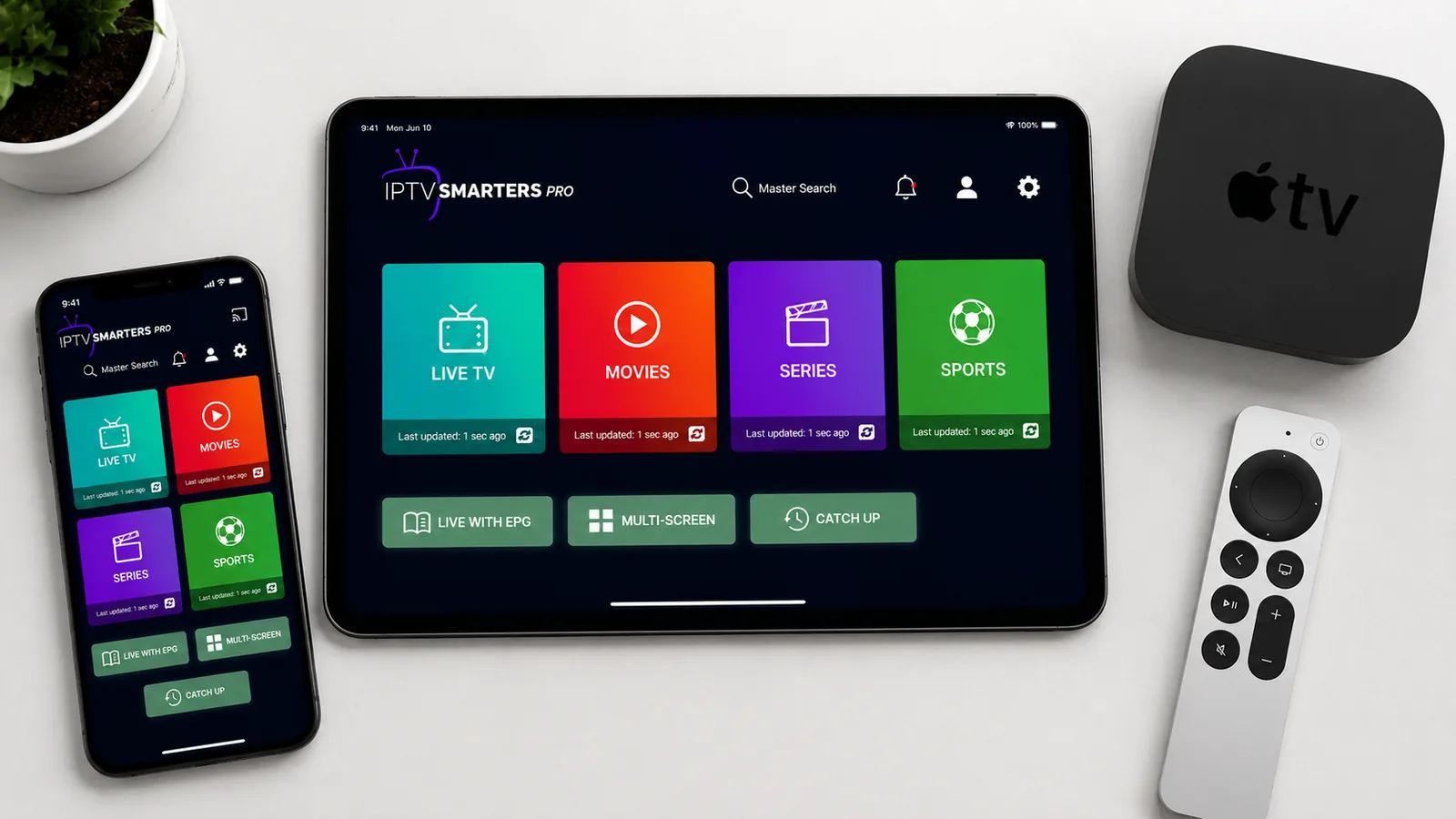
What is IPTV Smarters Pro?
IPTV Smarters Pro is one of the most popular IPTV player apps in the world. It is a media player — not a content provider — so it gives you a clean interface to watch the channels and video-on-demand (VOD) supplied by your subscription. Running IPTV Smarters Pro for Apple Devices turns your iPhone, iPad and Apple TV into a complete entertainment hub with Live TV, Movies, Series and a built-in TV guide, all organised into simple tabs you can flick between in a second.
Built for Apple's ecosystem, the app supports both Xtream Codes API and M3U playlist logins, a 7-day EPG, catch-up TV, parental controls and AirPlay, and it installs straight from the App Store on every device.
What makes IPTV Smarters Pro for Apple Devices so convenient is how it ties your whole ecosystem together: log in once on each device and the same channels, VOD and guide appear on your iPhone, iPad and Apple TV. Start a match on the phone, carry it to the iPad, then AirPlay it to the TV — it all just works, because Apple's App Store keeps the app safe, sandboxed and automatically updated.
Which Apple devices are supported?
The best part of IPTV Smarters Pro for Apple Devices is that it's the same app and the same login everywhere — no matter which Apple product you're holding, the setup and the interface are identical:
| Apple device | OS | How to install |
|---|---|---|
| iPhone | iOS | Apple App Store ✅ |
| iPad | iPadOS | Apple App Store ✅ |
| Apple TV (4th gen / 4K) | tvOS | tvOS App Store ✅ |
A quick note on hardware: any recent iPhone or iPad handles HD and 4K comfortably, while the Apple TV 4K is the star for the living room thanks to its fast chip and Ethernet port. Older Apple TV models (3rd gen and earlier) don't run apps, so you'll need a 4th-gen or 4K Apple TV to install IPTV Smarters Pro for Apple Devices directly — otherwise, AirPlay from an iPhone or iPad does the job.
Before you start
To set up IPTV Smarters Pro for Apple Devices smoothly, make sure you have:
- Your iPhone, iPad and/or Apple TV signed in with your Apple ID.
- A stable connection of 25 Mbps or faster (50 Mbps+ for 4K on Apple TV).
- Your IPTV login details — either Xtream Codes (username, password, server URL) or an M3U URL.
Because everything installs from the App Store, there's nothing to sideload and no security settings to change. The whole process — install, log in, watch — usually takes only a few minutes per device, and even less on the second and third once you know your login details.
Method 1: Install on iPhone & iPad
On iPhone and iPad the app is right there in the App Store — install it in under a minute, with no sideloading, no profiles and no developer mode. It's the safest, simplest install of any platform, and it updates automatically alongside your other apps.
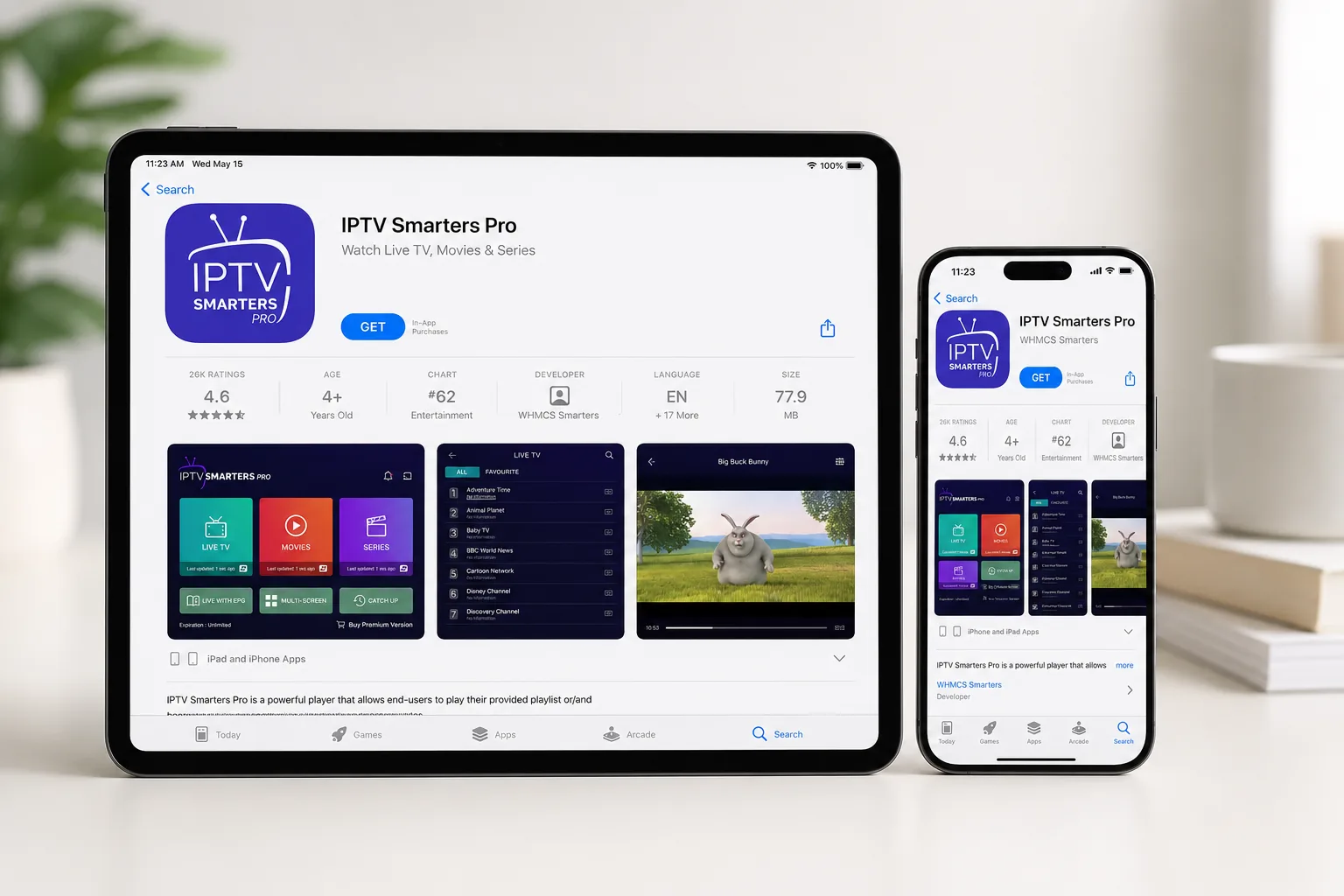
Open the App Store
Tap the App Store icon on your iPhone or iPad.
Search for the app
Search IPTV Smarters and select the IPTV Smarters Pro player.
Download & open
Tap Get, confirm with Face ID / Apple ID, then tap Open.
Make sure you pick the genuine IPTV Smarters Pro player — a few look-alike apps use a similar icon. The official one is free and only ever asks for your IPTV login, never for a payment to unlock channels. The very same app covers both iPhone and iPad, so once you know the steps you can repeat them on any iOS or iPadOS device.
📱 Video: install IPTV Smarters Pro on iPhone
📲 Video: install IPTV Smarters Pro on iPad
Method 2: Install on Apple TV
Apple TV runs tvOS, which has its own dedicated App Store — the steps mirror iPhone and iPad exactly. This is the option most people want for the living room, since it runs the app natively on the TV and you control everything with the Siri remote.
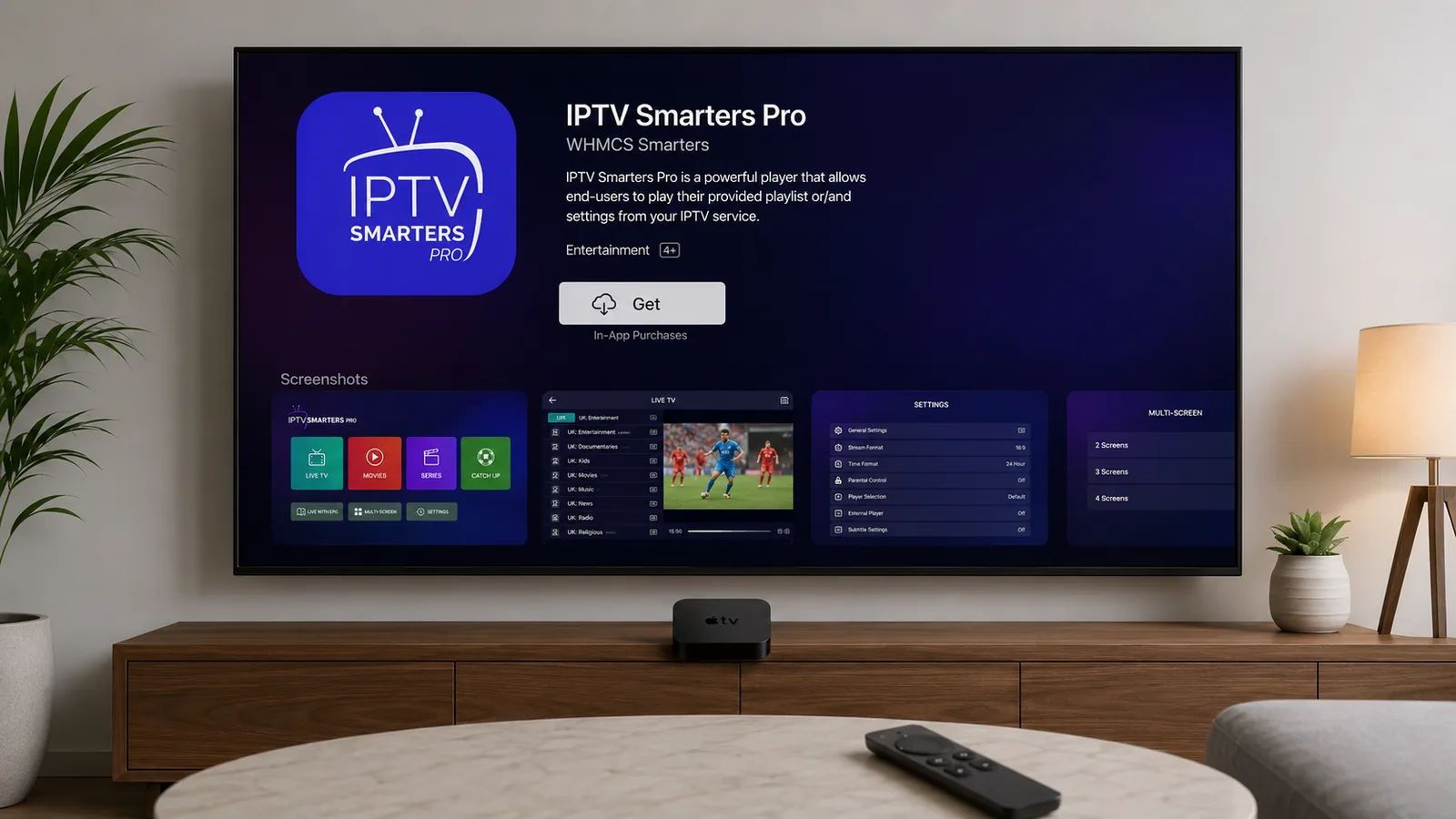
Open the App Store
From the Apple TV home screen, open the App Store.
Search for the app
Use search, type IPTV Smarters, and select the app.
Install & open
Click Get to install, then Open and continue to login.
Typing your Xtream Codes with the Apple TV remote can be fiddly — a handy trick is to hold your iPhone near the Apple TV when the keyboard appears, and iOS offers to type for you. Installing IPTV Smarters Pro for Apple Devices directly on the Apple TV gives the smoothest, fully remote-controlled experience, with no phone required once it's set up.
📺 Video: install IPTV Smarters Pro on Apple TV
How to log in to IPTV Smarters Pro
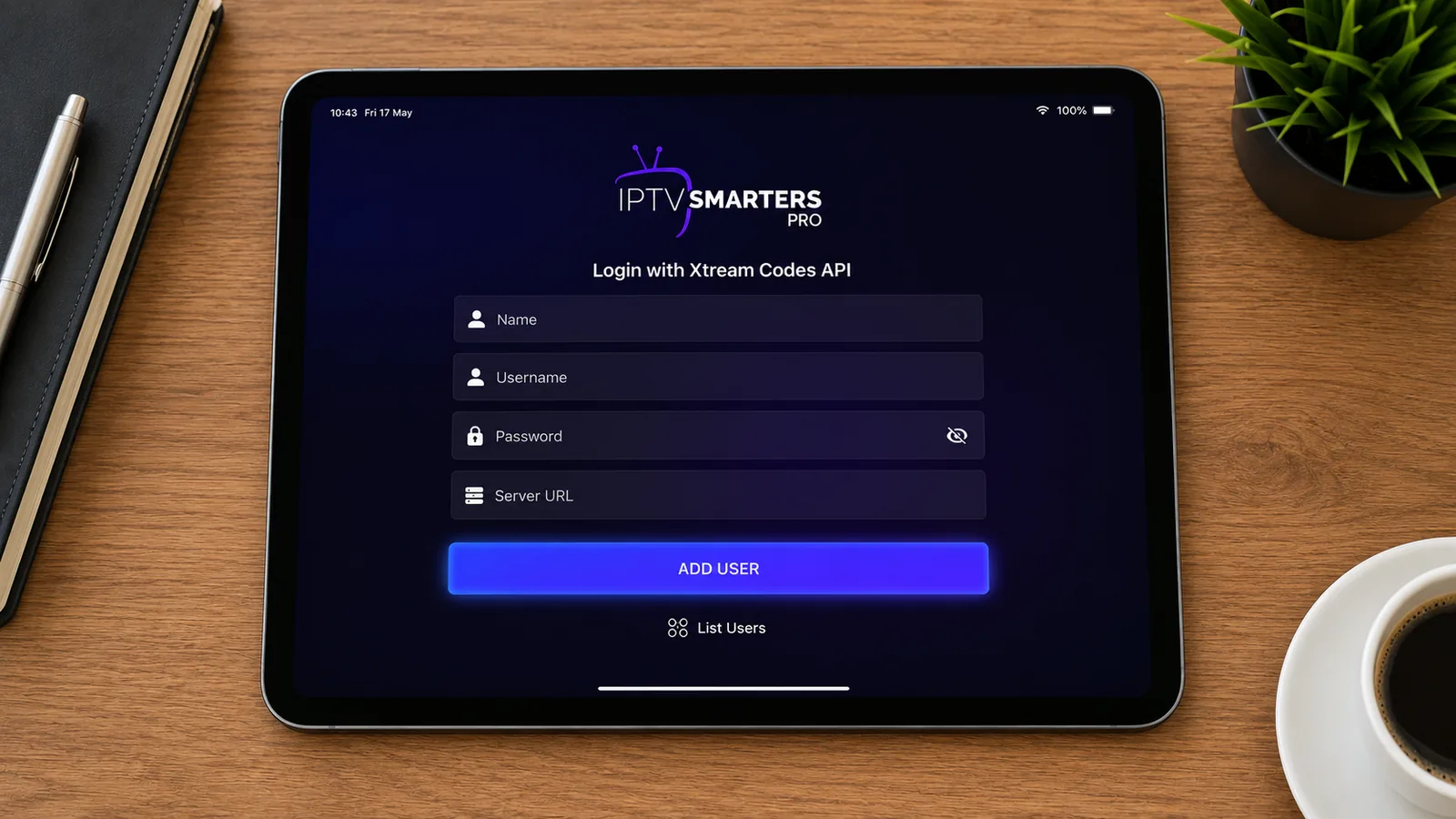
However you installed it, the login is the same on every Apple device. IPTV Smarters Pro for Apple Devices supports two methods — pick the one that matches the details from your provider. On first launch you'll accept a short disclaimer, then land on the login screen:
| Login method | What you enter | Best for |
|---|---|---|
| Login with Xtream Codes API | Any name, username, password & server URL | Full EPG, catch-up & VOD (recommended) |
| Load Your Playlist (M3U URL) | Any name & a single M3U link | Quick setup, lighter guide data |
Adding the EPG (TV guide)
The EPG (Electronic Program Guide) turns a plain channel list into a proper TV experience, showing what's on now and next with programme descriptions. With an Xtream Codes login it usually loads automatically. If it doesn't, open Settings → General → EPG inside the app, paste your provider's XMLTV EPG URL, save and refresh.
If the guide loads but the times are an hour or two out, that's a time-zone offset rather than a fault — set the correct EPG time shift / GMT so programmes line up with the local schedule. A working EPG also powers catch-up on providers that support it, letting you scroll back and replay something that aired earlier in the week.
How to AirPlay IPTV Smarters Pro to your TV
If you watch on iPhone or iPad, you can send any stream to an Apple TV or AirPlay-compatible TV in one tap — most Samsung, LG and Sony sets from recent years support AirPlay 2, so you often don't even need an Apple TV:
Same Wi-Fi
Make sure your iPhone/iPad and the TV are on the same network.
Open Control Centre
Swipe down from the top-right and tap Screen Mirroring.
Pick your TV
Select your Apple TV / AirPlay TV, then start playback in IPTV Smarters Pro.
Watch across iPhone, iPad and Apple TV
The real strength of IPTV Smarters Pro for Apple Devices is that it's one app across your whole Apple family. Install it on each device and sign in with the same Xtream Codes, and you get an identical layout everywhere — the same channels, favourites categories and EPG. In practice that means you can watch the news on the iPad in the kitchen, then pick up the same channel on the Apple TV in the living room without any extra setup. There's no per-device subscription either: your single IPTV plan covers every Apple device you log in on (within your plan's connection limit).
Organise channels, favourites and categories
A little setup makes the app much nicer to use every day:
- Favourites — mark the channels you watch most so they sit at the top of the list.
- Categories — filter by Sports, Movies, News or 4K to skip the endless scroll.
- Search — find a specific channel, match or film in seconds.
- Parental lock — PIN-protect adult categories, handy on a shared Apple TV.
How to refresh or update your channels
Providers add and remove channels regularly, so occasionally your list needs a refresh — no reinstall required:
Reload the playlist
Open Settings in the app and choose Refresh / Reload to pull the latest channels and EPG.
Or re-add your login
If channels vanish, remove and re-add your Xtream Codes to rebuild the list.
Restart the app
Close IPTV Smarters Pro fully and reopen it to clear its memory and reload cleanly.
Best settings & should you use a VPN?
Recommended playback settings
- Use Wi-Fi for HD/4K; Apple TV with Ethernet is the most stable.
- If a channel stutters, switch the player or lower the stream quality for that channel.
- Keep the app updated via the App Store for the latest fixes, codecs and performance improvements.
Do you need a VPN?
A VPN is optional but recommended. It encrypts your connection, protects your privacy and can reduce ISP throttling on streaming, though a legitimate service doesn't require one to work. Install a VPN app from the App Store on iPhone, iPad or Apple TV, connect, then open IPTV Smarters Pro. Choose a VPN with a nearby server so it doesn't slow your streams — speed matters more than the number of locations.
Getting the best 4K on Apple TV
The Apple TV 4K is one of the best devices you can use with IPTV Smarters Pro for Apple Devices, but a few tweaks get the very best picture:
- Use Ethernet — a wired connection to the Apple TV is rock-steady for 4K; Wi-Fi works but is more prone to dips.
- Give it enough speed — 4K streams want 50 Mbps or more for a clean picture.
- Match Frame Rate & Range — turn these on under tvOS Settings → Video and Audio so live sport looks smooth.
- Pick the UHD feed — choose the 4K version of a channel where offered, and drop to HD if it ever stutters.
Key features of IPTV Smarters Pro
- 7-day EPG with a full live TV guide.
- AirPlay & casting to watch on the big screen.
- Catch-up TV to rewind shows that already aired.
- Parental controls to lock categories.
- Favourites & search for quick access.
- One login, every Apple device — iPhone, iPad and Apple TV.
- Automatic updates of channels and VOD.
Troubleshooting: stop IPTV Smarters Pro buffering on Apple devices
Most problems come from your connection or the provider's server — not the app. Work through this table for the common IPTV Smarters Pro for Apple Devices issues:
| Problem | Likely cause | Fix |
|---|---|---|
| Constant buffering | Slow Wi-Fi or weak signal | Test speed (25 Mbps+); use Ethernet on Apple TV |
| Freezing on live sports | Overloaded provider server | Switch to a provider with anti-freeze servers |
| App crashes | Outdated app | Update the app and restart the device |
| "Invalid login" | Typo or expired plan | Re-check Xtream details & confirm the subscription is active |
| AirPlay not working | Different Wi-Fi networks | Put the device and TV on the same network |
| Wrong times in the EPG | Time-zone offset | Set the correct EPG time shift in Settings |
| App missing on old Apple TV | 3rd-gen or earlier tvOS | Use a 4th-gen/4K Apple TV, or AirPlay from iPhone |
Quick test: if a channel plays fine on your iPhone but not the Apple TV, it's the Apple TV's connection — try Ethernet. If a channel fails on every device, the stream is down at the provider's end, so test another channel and contact your provider if many are affected.
Is IPTV Smarters Pro safe and legal?
The IPTV Smarters Pro app itself is completely legal and safe — it's just a media player, like VLC, and it comes straight from the Apple App Store. What matters is the source of your content. Always use a provider that streams properly licensed channels and VOD, and avoid suspicious "free" M3U lists that infringe copyright. A reputable IPTV provider in Australia is transparent about its service and offers genuine support and a money-back guarantee, so you can set up IPTV Smarters Pro for Apple Devices with complete peace of mind and cancel easily if it isn't for you.
Key takeaways
- IPTV Smarters Pro for Apple Devices is free to install — but it only works once you add an active IPTV Australia subscription.
- Install it from the App Store on iPhone, iPad and Apple TV in one tap — the same simple steps on every device.
- AirPlay from your iPhone or iPad to watch on the big screen, or install the app directly on an Apple TV 4K.
- Log in with Xtream Codes for the best experience, including full EPG.
- Choose a provider with stable, anti-freeze servers for smooth streaming.
- Use Ethernet and Match Frame Rate on the Apple TV 4K for the best picture.
- One IPTV plan covers your iPhone, iPad and Apple TV together.
More IPTV Smarters Pro guides
IPTV Smarters Pro works across all your devices. See the dedicated guides for iPhone, Smart TV and the rest of your setup:
Frequently asked questions
Is IPTV Smarters Pro available for all Apple devices?
Yes — install the IPTV Smarters Pro player from the App Store on iPhone, iPad and Apple TV (tvOS). Search for IPTV Smarters and download the free app on each device.
Is IPTV Smarters Pro free on Apple devices?
Yes — the app is free to download. You still need an active IPTV subscription to load channels and video-on-demand.
How do I install IPTV Smarters Pro on Apple TV?
On Apple TV open the App Store, search for IPTV Smarters, click Get to install, then open the app and log in with your Xtream Codes or M3U details.
Does IPTV Smarters Pro work on old Apple TV models?
You need a 4th-generation Apple TV or an Apple TV 4K to install apps from the tvOS App Store. On a 3rd-gen or earlier Apple TV, AirPlay the stream from your iPhone or iPad instead.
Can I use the same login on my iPhone, iPad and Apple TV?
Yes. Install the app on each device and sign in with the same Xtream Codes. Your channels, favourites and EPG appear everywhere — subject to your plan's connection limit.
How do I get the best 4K on Apple TV?
Use Ethernet on the Apple TV 4K, a 50 Mbps+ connection, turn on Match Frame Rate in tvOS settings, and pick the UHD version of a channel where available.
Can I AirPlay IPTV Smarters Pro from iPhone to Apple TV?
Yes — use AirPlay / Screen Mirroring from your iPhone or iPad to send any stream to an Apple TV or AirPlay-compatible TV on the same Wi-Fi network.
Why does IPTV Smarters Pro keep buffering on Apple devices?
Usually a slow connection or an overloaded server. Use 25 Mbps or faster, use Ethernet on Apple TV where you can, and pick a provider with stable anti-freeze servers.
Do I need a subscription to use IPTV Smarters Pro on Apple devices?
Yes. The app is only a player. You need an active IPTV subscription, such as an IPTV Australia 4K plan, which emails your Xtream Codes login so the app works.
Ready to stream on your Apple devices?
65,000+ channels, 120,000+ movies & series, 4K streams and anti-freeze servers — built for IPTV Smarters Pro.
Get Started with IPTV Australia 4K →